SEONov 12, 2026
The best SEO and AI search reporting tools
Tools to measure organic and AI-referred traffic, connect it to leads and report results clients understand.
5 minute read Dorcas AdisaOrganic and AI Search Strategist
Tools to measure organic and AI-referred traffic, connect it to leads and report results clients understand.
5 minute readDorcas AdisaOrganic and AI Search StrategistReporting is where you show whether the work is paying off. AI search adds a complication: being visible in an AI answer and getting a visit from one are different measurements, and you need both.
This list covers the free Google and Microsoft tools most reports are built on, plus the templates and CRM data that connect visits to revenue.
In this guide, I share the free tools most reports are built on, plus the templates that turn AI visibility checks into numbers a client can follow.
Jump to any tool, or scan what each one is best for.
| Tool | Best for | Access |
|---|---|---|
| 1. Google Analytics 4 | Measuring visits, conversions and AI-referred traffic on your site | Free |
| 2. Google Search Console | First-party search data for your own site | Free |
| 3. Looker Studio | Free client dashboards that combine Search Console, GA4 and sheets | Free |
| 4. Microsoft Clarity | Seeing what visitors do on a page, and which AI bots crawl it | Free |
| 5. HubSpot CRM | Connecting marketing visits to leads and revenue | Free tier |
| 6. Google Sheets | Keeping prompt trackers, keyword lists and report data | Free |
| 7. Bing AI Performance | Measuring citations in Microsoft's AI answers | Free |
| 8. HubSpot free AEO dashboard | Tracking AI visibility in a spreadsheet | Free |
| 9. iPullRank: AI search measurement template | Setting up AI search reporting | Free |
| 10. eSeoSpace GEO dashboards and reporting templates | Planning AI search reporting for leadership | Free |
Free to use, or free with limits.
Best for measuring visits, conversions and AI-referred traffic on your site
Google Analytics 4 measures traffic, engagement and conversions on your website. It now has an AI Assistant channel that groups visits from chatbots such as ChatGPT, Gemini, Copilot and Claude. Clicks from Google's AI Overviews and AI Mode are still counted as organic search, so AI visibility and AI-referred visits remain different measurements.
Tip: Open the traffic acquisition report, look for the AI Assistant channel, and compare its conversion rate with organic search.
Best for first-party search data for your own site
Google Search Console is your own first-party data from Google: queries, pages, clicks, impressions and indexing. Long, question-like queries in it are often the closest thing to real AI prompts you can see.
Tip: Filter for long queries that start with how, what, which or best to find prompt-like searches for your content plan.
Best for free client dashboards that combine Search Console, GA4 and sheets
Looker Studio is Google's free dashboard tool. It connects to Search Console, Google Analytics and Google Sheets, so you can show search performance, AI-referred visits and prompt tracking results in one report.
Tip: Build one page with Search Console clicks, the GA4 AI Assistant channel and your monthly prompt results from a sheet.
Best for seeing what visitors do on a page, and which AI bots crawl it
Microsoft Clarity is a free behavior analytics tool with heatmaps and session recordings. It also reports on AI bot activity and connects it with the visits that follow, so you can see which AI crawlers lead to real sessions.
Tip: Watch recordings of visits from AI assistants to see whether those visitors find the answer they came for.
Best for connecting marketing visits to leads and revenue
HubSpot records where each contact first came from and what they did before they became a lead. That lets you connect AI-referred visits and organic traffic to pipeline, not just sessions. The core CRM is free.
Tip: Check the original source of new leads each month and tag those that came from AI assistants.
Best for keeping prompt trackers, keyword lists and report data
Google Sheets is where most AI search tracking starts: a list of prompts, the date you tested them, which brands appeared and which sources were cited. It connects to Looker Studio for reporting, and Excel works just as well if your team prefers it.
Tip: Set up one row per prompt per month, with columns for mention, recommendation, citation and accuracy.
Official documentation and communities worth bookmarking.
Best for measuring citations in Microsoft's AI answers
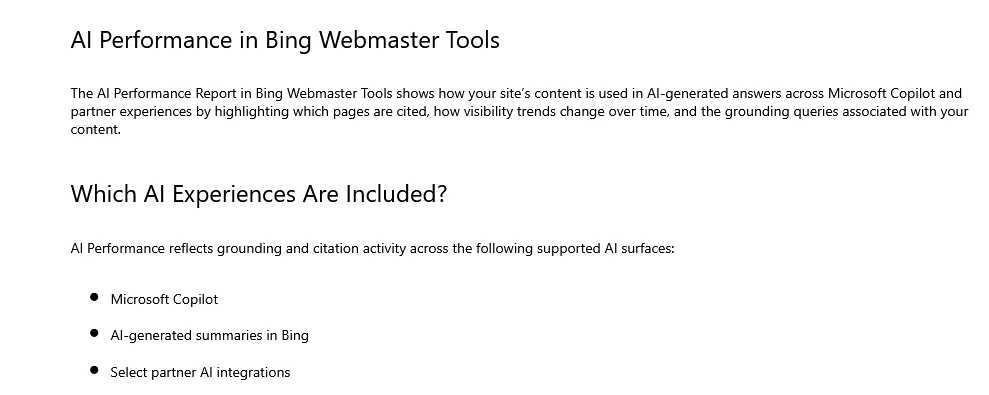
First-party data on AI citations is rare, which makes Bing's AI Performance report worth setting up early. Inside Bing Webmaster Tools it shows citations, grounding queries, cited pages and trends, with exports. A verified site is required.
Tip: Verify the site, then export cited pages and grounding queries monthly as first-party proof of AI visibility.
Best for tracking AI visibility in a spreadsheet
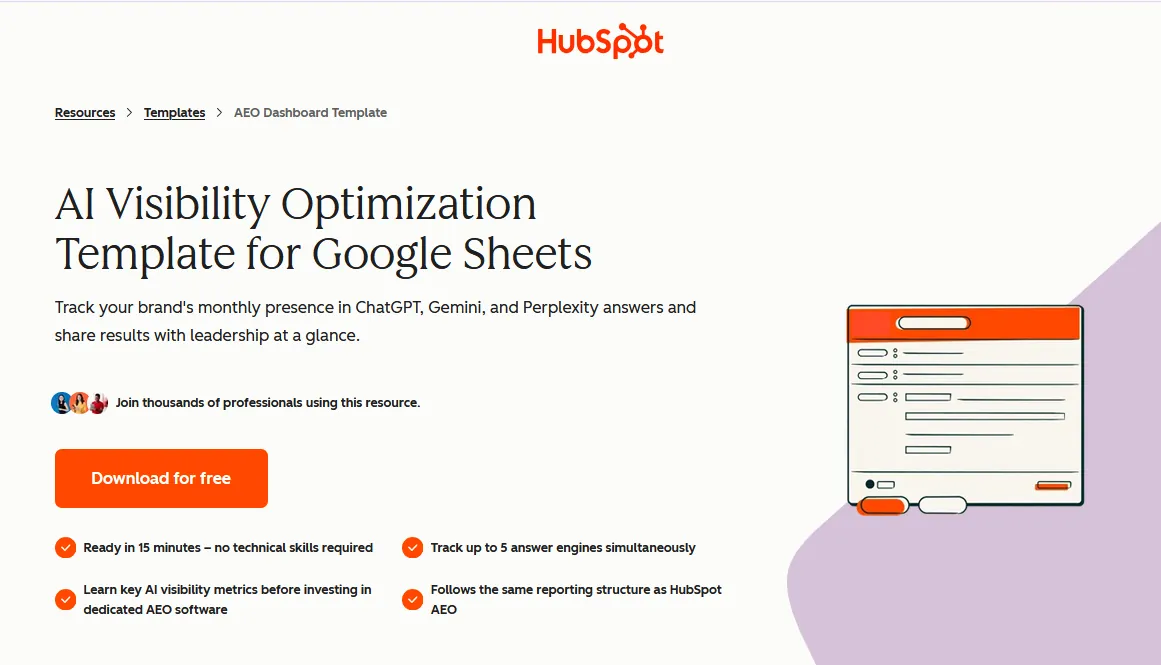
HubSpot's free AEO dashboard is a Google Sheet for tracking prompts, visibility rate, citation share, share of voice, cited domains and competitors over time.
Tip: Use it to track results by hand before you pay for a visibility tool.
Best for setting up AI search reporting
The AI search measurement template that comes with the AI Search Manual gives you a starting structure for tracking AI visibility, citations and traffic, so reporting does not start from a blank sheet.
Tip: Copy it to set up AI search reporting for a client in one afternoon.
Best for planning AI search reporting for leadership
eSeoSpace lays out GEO dashboard and reporting templates for visibility, mentions, schema and entity health, GA4 and AI traffic, and executive summaries.
Tip: Borrow the executive summary layout for monthly reports to leadership.
Open the traffic acquisition report and look for the AI Assistant channel, which groups visits from chatbots such as ChatGPT, Gemini, Copilot and Claude. Visits from Google's AI Overviews and AI Mode are still reported as organic search.
Mention rate, recommendation rate, citation rate and accuracy from your prompt tests, plus AI-referred visits and the leads they produced. Show the trend month by month rather than a single snapshot.
Looker Studio is free and connects directly to Search Console, Google Analytics and Google Sheets, which covers most SEO and AI search reports.
Report AI visibility and AI-referred visits side by side, and tie both to leads. A client can act on that; a single visibility score on its own tells them very little.
If you want a quicker read on your own brand, my free tools can help:
This guide is part of The AI Search Stack, my list of the best free and paid resources for SEO, AEO and GEO.
I will check how your brand shows up in Google and AI answers today, and show you what to fix first.